

|
Here's how to organize your best proofreading and editing resources so that they're visible to and usable for your ideal clients.
Learning centres for proofreaders and editors
I have two learning centres on my website, one for authors and one for editors. Each topic has an image. Clicking on that picture takes the visitor to a section further down on the page that contains useful relevant content. Maybe it's a blog post, a Word file, a PDF booklet, a video, podcast or an Excel spreadsheet. Most of that stuff is on my blog too, so why did I create dedicated pages to curate it? Here are my 8 reasons: 1. Learning centres help visitors find your useful stuff It's much easier for a visitor to navigate from one resource to another when you offer clearly titled images in one place than it is to find what you want in a search bar or blog archive. And if they get distracted, it’s easy to start the content review process all over again back in the centre. That might not be so easy if they’re on a 7-year-old blog with several hundred articles on it, especially if the ones they want to read sit in different subject- or month-archives. Your visitor can also bookmark a learning centre on your site. They can’t do that with a list of results generated by your search bar. They can probably bookmark an archive, but that will only show the first article or two on your blog, not a chunk of your core resources at a glance. 2. Learning centres keep your visitors on your site for longer because there’s more to engage with The more goodies you offer visitors, the greater their engagement. That’s good for obvious reasons – you’re helping your clients, showing them you’re engaged with their problems, and are willing and able to solve them. But there’s another important reason. The longer someone sticks around on your site, the more likely they are to hire your editorial services. It’s no surprise, really – I don’t stick around in a high-street shop, desperately trying to find that one thing I want, if the overall feel of the place and the products it’s selling don’t feel like me. But if I keep finding things that grab my attention, I’m much more likely to walk out of the door with something nice. Editorial websites are no different. If your learning centre makes potential clients drool because you’re offering them a lot of free, helpful, valuable content, if it makes them feel that you get them, and that you’re a good fit for each other, you have a much higher chance of persuading that person to ask for a quote or a sample edit/proofread. 3. Learning centres reinforce your brand Learning centres are perfect for reinforcing your brand identity because you can create a uniform look and feel by theming your images with consistent brand colours, fonts, and design. Include a few lines of text at the top to explain who your resources are for, and what problems they’ll solve – your mission, so to speak. Here’s a partial sample of the image in my author resources page. 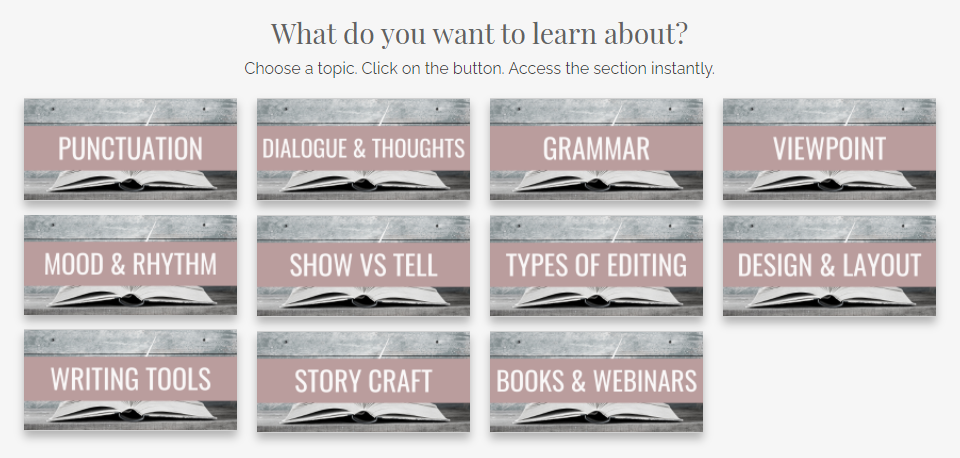
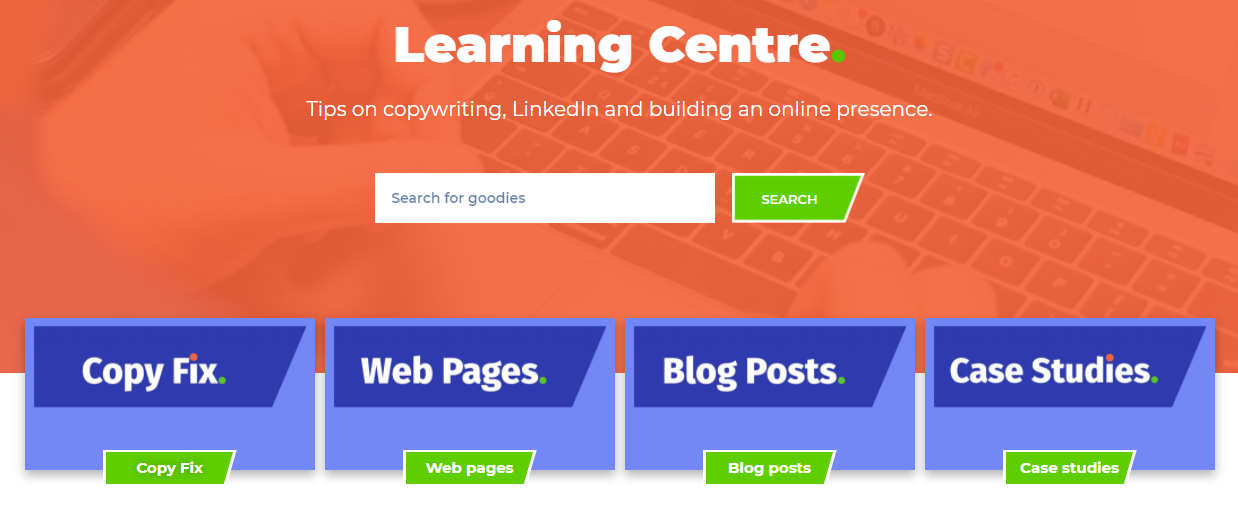
And here's a partial shot of John Espirian's library. John's learning centre has a very different feel to it, and so it should. His brand identity is built around a different set of skills, services and target clients.
4. Learning centres demonstrate your expertise and arouse clients’ emotions
With a learning centre. you can offer a chunk of accessible information that solves multiple problems. That presents you as an expert who sees the big picture. It’s not a labyrinthine process of discovery that involves extensive scrolling or putting the right keywords into a search box. Rather, you hit them in the heart with a message that you’re on their side and have their backs. It’s about arousing powerful emotions. In episode 3 of Content Mavericks, pro content marketers Andrew and Pete argue that high-arousal messages like awe, excitement, relief, and love are much more likely to generate engagement than lower-arousal messages like contentment. ‘When we care we share … Figure out a way to make people care about your message or your offering.’ 
If your learning centre can generate excitement in your potential client – make them feel that they’ve found an editor or proofreader who’s completely on their wavelength, someone who’s demonstrably in touch with their struggles, and is offering resolution – that’s a powerful message.
And it’s one that’s more likely to get your visitors telling others about who you are and what you’re up to, and have them clicking the Contact button. 5. Eye candy I cherish my blog. I’ve lovingly filled it with articles on a weekly (mostly) basis since 2011. But things can get messy. There’s a sidebar with a subscription button, an RSS button, a search box, an archive by subject area, an archive by date, some links to my books, and more. Plus, I love to write meaty posts. Most of my articles are at least 1,500 words long. And while I do include images and header stamps that summarize what’s included in each post, there’s an awful lot of text. That’s not all. There’s a lot of scrolling to do if someone wants to glimpse what’s available on one page of the blog. A learning centre is much easier on the eye and allows my author visitors to see at a glance what’s on offer. 6. Segmentation Back in the day when I worked exclusively for publishers, my blog posts were aimed at my colleagues. These days I work exclusively for indie authors, and now I’m creating content for them, too. So I have two audiences, and two types of content. It’s about a 50–50 split. Creating learning centres helps me to segment my website so that the right people can find the relevant content. This is particularly important for my author audience because most of them don’t yet know me. They’re less likely to bounce around in my blog, diving from one archive to another in a bid to find what they need. Many of my colleague visitors do know me, at least in an online capacity. And so they have a little more patience because I’ve already built a trusting relationship with them. They’re more likely to spend time rooting around the blog for what they want. Still, I've created an editor resources page for them because I want them to find stuff easily. Show off what you’ve got planned What if you have a ton of great stuff in your head or on a to-do list? Perhaps it's already in production, out with the proofreader, or scheduled for publication sometime in the next few months. None of that stuff is visible on your blog. Your blog only tells people about what’s available. What’s coming might be equally appealing. They might be more likely to get in touch if they can see exciting things in the pipeline. In that case, upload an image with a 'forthcoming' caption.
8. Learning centres encourage ‘you’re worth it’ moments
Certainly, a great resource library will increase the likelihood of your visitor hitting the contact button, but not everyone will be ready to make that commitment. That’s why building a mailing list is a great way to keep in touch with potential clients who are thinking: I’m interested in you and like what you’re doing, but I’m not quite at the point where I’m ready to hire you as my editor or proofreader. Still, it seems like everyone and their aunt has a mailing list or newsletter these days. And if you’re going to persuade someone to allow yet another email into their already crowded inbox, and make them want to actually open it, displaying a library of gorgeous resources might just be the tipping point – the thing that makes them think you’re worth it. Make sure your hub includes a way of signing up to your mailing list, and a clear call to action that tells the visitor what you want them to do, and why.
Summing up
Make your wonderful editorial content easy to access. Whether it’s a blog, a vlog, a podcast, or something else, help your potential clients navigate their way around your resources and show them all the marvellous stuff on offer. Tell them who and what it’s for – how it helps, which problems it solves. And make sure it's designed uniformly (Canva is your free friend – trust me!) so that the resources look like they're part of a stable. That way it’s not a hotchpotch of stuff; it’s valuable, client-focused content that represents you, your editorial business, your professional values, and your mission – your brand identity.
Louise Harnby is a line editor, copyeditor and proofreader who specializes in working with crime, mystery, suspense and thriller writers.
She is an Advanced Professional Member of the Chartered Institute of Editing and Proofreading (CIEP), a member of ACES, a Partner Member of The Alliance of Independent Authors (ALLi), and co-hosts The Editing Podcast. Visit her business website at Louise Harnby | Fiction Editor & Proofreader, say hello on Twitter at @LouiseHarnby, connect via Facebook and LinkedIn, and check out her books and courses.
2 Comments
17/7/2017 04:33:09 pm
This is excellent, thank you. I have a resource guide but it's a bit unwieldy and not very user-friendly; I'll work on breaking it up and creating some hubs.
Louise Harnby
17/7/2017 05:12:06 pm
With your massive archive of content, Liz, you'll be able to make a beautiful hub! Leave a Reply. |
PDF MARKUP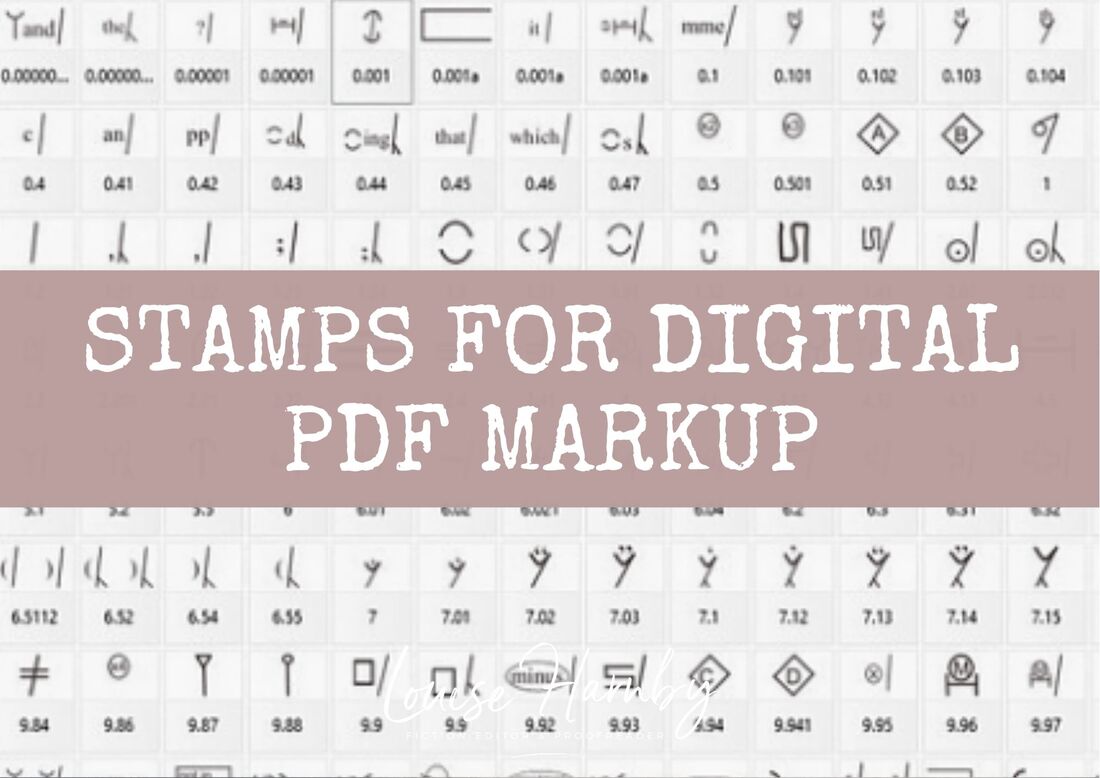
AUTHOR RESOURCES
EDITOR RESOURCES
TESTIMONIALSDare Rogers'Louise uses her expertise to hone a story until it's razor sharp, while still allowing the author’s voice to remain dominant.'Jeff Carson'I wholeheartedly recommend her services ... Just don’t hire her when I need her.'J B Turner'Sincere thanks for a beautiful and elegant piece of work. First class.'Ayshe Gemedzhy'What makes her stand out and shine is her ability to immerse herself in your story.'Salt Publishing'A million thanks – your mark-up is perfect, as always.'CATEGORIES
All
ARCHIVES
July 2024
|
 RSS Feed
 |

|
|

|

|
|
|
|

© 2011–2024 Louise Harnby